The Best Day Trading Computer Setup: Get Started or Level Up

Day trading is one of the most competitive industries in the world.
Every day, millions of professionals — and high-frequency algorithms — race for fractions of a percent. In a game this fast, a laggy connection or sluggish computer can cost you real money.
That's why your trading setup matters. The right hardware and software won't guarantee profits, but will help you move faster, think more clearly, and minimize costly mistakes.
The good news? You don't need to spend a fortune.
Below, I break down the gear, tools, and platforms used by serious traders — and how you can build a similar setup without going overboard.
Getting started
Before we dive into gear, a quick reality check: The most important part of any trading setup is the trader.
A skilled trader can make money with a basic laptop, while an unskilled one can lose money with a $10,000 setup.
So don't feel like you need to build the ultimate workstation on day one. Start with what you have, focus on developing your edge, and upgrade your tools as your skills — and account — grow.
With that out of the way, let's break this down by level: beginner, intermediate, and pro. Each stage includes the tools and upgrades that matter most for that phase of your trading journey.
I've included a few links here and there for gear I like or have an opinion on, in case you're in the market.
Level 1: beginner
If you're just getting started, there's no need to overcomplicate things.
Here's what you need to build a basic setup that is more than enough to learn the ropes, test strategies, and build discipline.
Hardware
1. Computer: Any modern laptop or desktop from the last 5–7 years will do, as long as it has 8-16GB RAM and an SSD (not HDD).
- Our picks: Dell Inspiron 15, MacBook Air M4
2. External monitor: While you can get away with just one screen, an additional external monitor (either 24" or 27") can be extremely helpful.
- Our picks: ASUS ProArt 24", Dell S2725DS 27"
3. Internet: A stable connection is crucial. You don't need anything super expensive, but avoid spotty Wi-Fi or shared networks that lag during peak hours.
Software
4. Broker platform: Choose one with paper trading and low fees.
- Our picks: thinkorswim, TradeStation, moomoo
5. Charting tools: Most broker platforms have decent charting built in, though I prefer using a dedicated tool.
- Our pick: TradingView
6. News feed: Use free sources to stay updated on the latest news.
- Our picks: Finviz, Stocktwits
Accessories
7. Mouse: A basic wired or wireless mouse is fine.
8. Notebook or journal: Keep a simple log of your trades, thoughts, and mistakes. You'll learn more from this than any fancy tool.
You may also want to invest in your education. For that, check out our article on the best options trading courses.
Level 2: intermediate
Once you're consistently trading real money and developing your own system, you can start upgrading your setup to better suit your needs.
Here are the most common purchases at this stage.
Hardware
1. External monitors: Having multiple screens (24" or 27") lets you watch charts, news, and orders without constantly tabbing around.
- Our picks: ASUS ProArt 24", Dell S2725DS 27"
2. Computer: With more monitors comes more processing demands and more strain on your system. If you're running into slowdowns, it's probably time for a computer upgrade.
3. Desk: At this point, you're spending a lot of time at your computer. A new desk can make your time there much more comfortable. Plus, you may need more space to hold your extra monitors.
4. Battery backup (UPS): Protects your computer and internet connection during power outages, and is critical for avoiding mid-trade disasters.
- Our pick: APC UPS 1500VA
Software
5. Level 2 data: Gives you real-time bid/ask depth, helping with order timing and execution. Many brokers offer it for free (including the three brokers we recommended in this article).
- Our picks: thinkorswim, TradeStation, moomoo
6. Dedicated charting software: Upgrading to paid and/or more advanced tools unlocks more custom indicators, alerts, and layout options.
- Our picks: TradingView Pro, thinkorswim
7. News scanner: Platforms like Benzinga Pro offer faster, more curated headlines compared to free sources.
Accessories
7. Ergonomic mouse: You'll feel the difference after a few long trading days.
8. Cable management: Having tidy cables helps reduce visual clutter and keep your space distraction-free.
Level 3: pro
At this level, your setup should support fast execution, advanced analysis, and minimal time switching between tabs or waiting for things to load. Here are some typical upgrades to help with efficiency, precision, and reliability.
Hardware
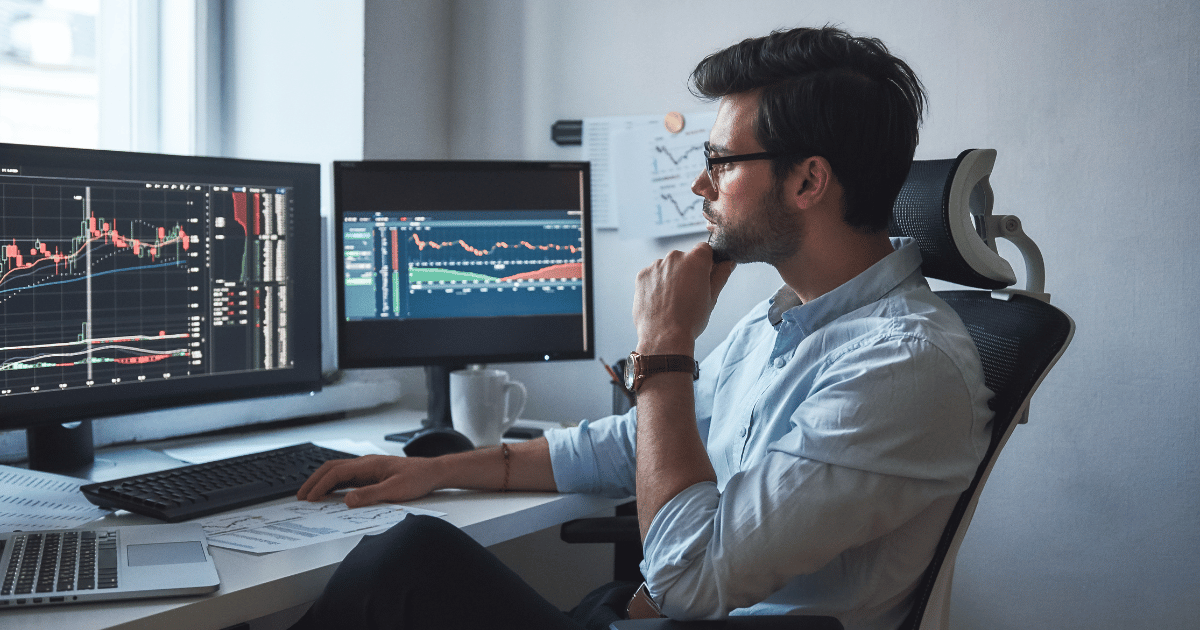
1. Multi-monitor array: 3–6 high-resolution monitors mounted on arms for real-time tracking of charts, news, scanners, and execution platforms.
- Our picks: ASUS ProArt 24", Dell S2725DS 27"
2. Custom-built trading PC: High-end CPU, lots of RAM (32GB+), SSD storage (1TB+), and a quality GPU.
- Our pick: Velocity Micro
3. Dedicated internet line: Hardwired Ethernet with at least 100 Mbps download / 20 Mbps upload. Add a failover, like a 5G hotspot or second provider, for redundancy.
Software
4. Direct market access (DMA): Used by prop traders for ultra-fast execution.
- Our picks: Interactive Brokers, Lightspeed
5. Scripting/automation tools: Custom scripts or bots built for order routing, alerts, or strategy testing — especially for algorithmic or quant traders.
Accessories
6. Trading chair: Ergonomic, fully adjustable, built for long sessions.
- Our picks: Mimoglad, Herman Miller Aeron, Secretlab Titan
7. Monitor arms or rack mount: Lets you adjust screen height/angle for posture and visibility.
8. Whiteboard or digital workflow: Useful for planning, tracking setups, journaling, or reviewing trade performance at a glance.
Final word
A powerful trading setup can help, but it's not a substitute for skill.
Start simple. Focus on learning how to read price action, manage risk, and stay disciplined. As your consistency improves, so should your environment.
Upgrading your gear isn't just about looking professional — it's about removing friction, staying focused, and executing faster when it counts. Build your setup level by level, just like you build your strategy.
Because the better you trade, the more your setup will matter, and the more you'll want it tailored to how you work.

.png)